Showing posts with label iPad. Show all posts

Monday, June 18, 2012

the Perfect iPad Bag

I wrote a few days ago about iPad bags and today I'd like to expand.

If, like me, you're a tech junkie, you understand that sometimes the accoutrements of all these devices can quickly outpace the price of the devices themselves.

I've finally found a bag for each pf my cameras, an everyday bag that allows me to carry my Canon SX40 and my iPad, I have Cotton Carriers for when I don't want to carry a bag (yes, I have one vest and one belt model, different needs ya know).  But I haven't found a bag for when I just want to run out of the house with my iPad and a few other goodies.

The problem (as I see it) is that most bags are black, and usually aimed squarely at the tech crowd (read that as incredibly unattractive).  I really want something that doesn't scream nerd to everyone who looks at it, and at the same time, makes me smile when I look at it.

Now there are some attractive bags out there, but they usually carry designer names and start at $100 or more, not for me.

Then, when we were at the Japanese Cultural Festival, I found the answer to my dreams.  There was a booth, filled with beautiful fabrics, all made into bags of various sizes.  You can imagine how excited I was when I realized these were just the size to fit an iPad.


Wow, I was in heaven, look at all those choices! The booth was run by a delightful woman named Thom, and she makes all the bags herself.  And just in case you don't have an iPad, she also makes them for the Kindle and the Nook.  She also makes an assortment of beautiful tote bags as well in a variety of other sizes. 

Three things set Thom's bags apart. 

First, she has an incredible eye for fabric.  I really couldn't believe the assortment.  Then once we got to talking, she told me about others she didn't bring along.  She will be sending me pictures of other fabrics, and I can hardly wait.

Second, she is very careful with the design of the fabric.  She makes sure that each design perfectly fits the fabric.  For example, she had a beautiful geisha fabric, but would only use it on a full size bag so that the whole graphic would show on the finished product.

Thirdly, the iPad bags, padded for protection and including a finished pocket on the front for other items sell for only $20.00!  Is that a great deal or what?

Here's a picture of the one I bought, front and back.


That said, when she sends me pictures of additional fabric, I may have to buy another. 

Unfortunately she doesn't have a website yet, or I'm sure she would never be able to keep up with demand, so if you're interested in one of these bags, email me and I'll give you her contact number. 

**************

We've been good about walking, going every day, so the scenery gets kind of monotonous and I'm not finding a lot to shoot, but I did like this shot from Henry Cowell today.


And that's it for today.

Oh, one more thing  . . .

I may be changing my signature from 
Life is Good 
to
It's Never Too Late to Live Happily Ever After.

What do you think?

Wednesday, March 28, 2012

Do you Like Birds??

.
One of the things that I love the most about my iPad and iPhone is the tremendous variety of apps available.

Ever since we first took off in the motorhome, we suddenly became excited about the tremendous number of birds we'd see wherever we went. While we're not serious birders, we sure find them fascinating.

When I first got an iPod touch, I found a new (at the time) app named iBird Explorer Pro. I purchased it and have been quite happy with it. But since that time, a lot of other bird and nature apps have become available.

So you can imagine how pleased I was to see that Peterson's Birds of North America is currently on sale for $4.99 (down from $14.99). Like the great books these people put out, the app features beautiful illustrations, photographs, bird calls, the ability to keep a personal list, and so much more.

While I love all these apps, they can become expensive (because sadly, I'm an admitted app junkie . . .).

But if, like me, you love a bargain, here's a tip. I've signed up with a website called AppShopper.com, where you can mark which apps you're interested in and when they go on sale, they send you an email!

When you look at the price of most birding books, the apps are less expensive, and in many ways much better. For those of us in a motorhome, they certainly weigh less and take up less room. And for me, the best part is that once you buy them, they get updated regularly, so instead of having to buy a new book every couple of years, you're pretty much covered. Plus, if like us, you have multiple devices (iphones, iPads) you only have to buy an app one time and you can share it across all your devices.

I also love that when we're out looking at birds, I usually have my phone with me, whereas I've never had a bird book handy when I was needed one!

If you're into birds (or wildflowers, trees, mammals, butterflies, whatever) I suggest you take a look in the app store, because there's a lot of great things waiting for you to discover.

If you've found any other great nature apps, please let me know.

I assume these would also be available for those of you on Android devices, but you'll just have to search them out yourself, because (obviously) I'm a hard core Apple girl (no pun intended).


Friday, February 17, 2012

Cel Phone Reception

.
Another blogpost about iPhone/iPad apps.

One thing I'm always interested in is what kind of cel/internet reception is available in different locations. Even though we're not on the road right now, I still like to know what kind of reception I can expect (especially since I am sometimes using a Verizon MiFi for internet).

I've played with several apps, but really they're mostly nothing more than the maps you see online at the carriers site. But now there's an app called Coverage? (currently on sale for $.99). It uses a unique overlay type of mapping system, and shows AT&T, Verizon, Sprint and T-Mobile. Not only does it show carriers, but it also splits the maps into 2G, 3G, 4G and roaming. I like that you can look at more than one carrier at the same time (we have both Verizon and AT&T).

I'm not sure if it's available for the Droid, but it's a very cool app that I can recommend for all IOS devices.

And the pictures?
They're ones I've already posted,
but manipulated on the iPad.
(As always, click to enlarge).


That's it for today.
We're feeling better
and may actually venture out tomorrow.

Thursday, January 5, 2012

Shooting in the Dark

.
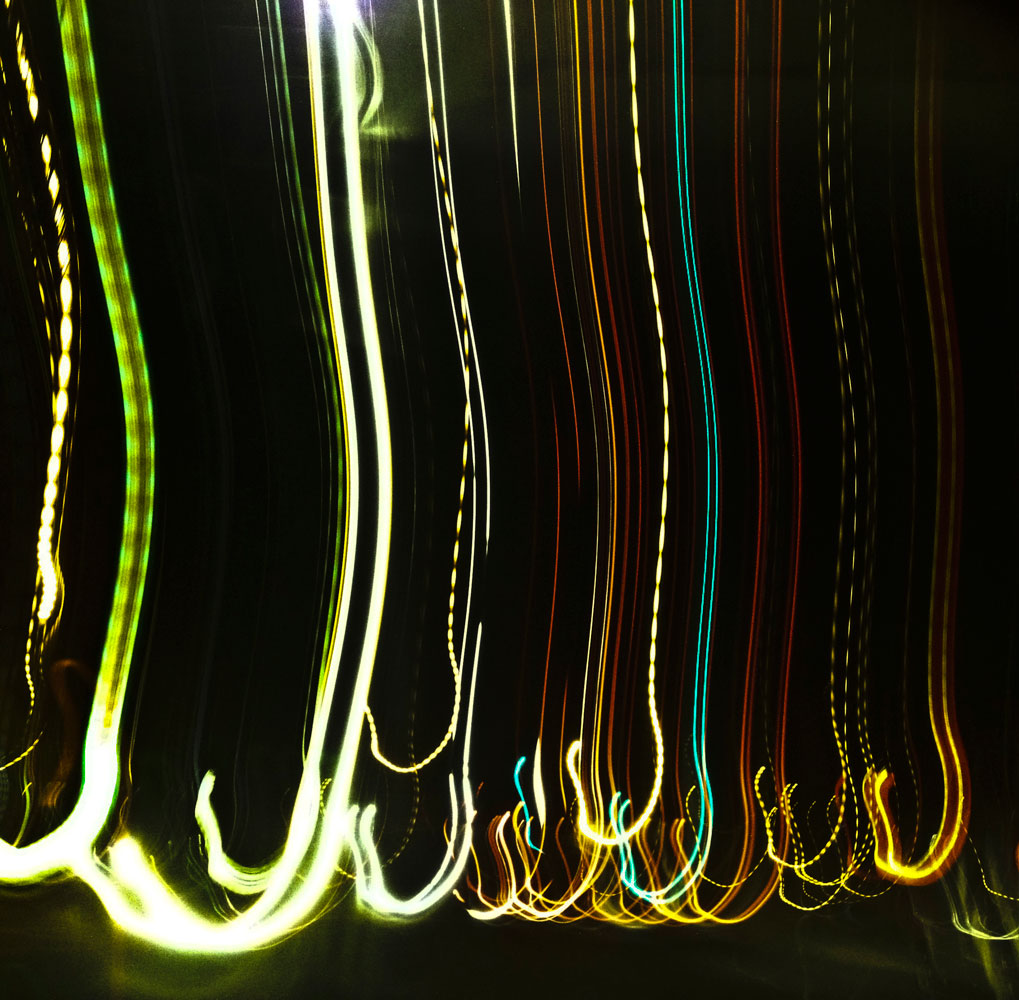
In thinking about light, I decided to try shooting dark.

Most of my Christmas shots were taken with the Canon SX40, so tonight I decided I'd see what I could get with my iPhone.

The iPhone's sensor (equivalent to the film) is small. Smaller sensors mean a lot more noise (pixelization), and generally, this is also true with the iPhone. That said, I've found the new iPhone 4s handles noise better than I had expected.

In this shot,
I played around with shutter speed,
moving the camera as the shutter was open.
It's my "arty" shot.

And I like the color.


I was pretty impressed with this shot,
hand held, using an app called ProCamera.
I like the sharp contrast
between light and dark.


Taken while we were stopped
at an intersection.
Not bad for no flash.
The texture and the pattern
appealed to me.

Finally, this shot, taken from inside the car.
Again, I like that the iPhone
was able to capture both the light and the dark.
And pretty much everything in between.


That's it for today.

Wednesday, October 12, 2011

Nothing Much

.
Busy busy busy.

We did another flea market this weekend. Dang, if they weren't so darned lucrative, we might give up. Then it was another carload down to the auction. And I'm planning a short trip to LA to shed some of the Disney.

Then there's all this Apple stuff . . .

I'm really excited about my new iPhone, which will be here Friday; however in order to take advantage of all the goodies, there's some software upgrading to do, and it seems like everybody in the world is doing the same thing.

It's been slow going.

Since I'm at the computer anyway, I've been spending some time playing with my pictures. I have an app called fx Photo Studio Pro that I've been playing with on my iPad, so it was kind of cool when I realized that a Mac version was available in an app bundle that I recently purchased.

This is just the kind of app that I'm so very fond of. You import your picture, then there are literally dozens of effects and filters. Once you see an effect or filter that you like, you can then decide how much of the effect you want to process into the picture. You can even apply one effect, then layer others on top of it.

This is hardly great art, but I find it helps open my mind to new ways to look at things, and I enjoy it immensely.

Without any further comments,
here's a few variations
on one picture.
(You can click on any image
for a larger version).


That's it for today!

Saturday, September 10, 2011

Zite!

.
Another iPad post, I just can't help myself.

More and more I've been exploring news and magazines on the iPad. As I've mentioned before, National Geographic is a wonder on the iPad. Then there's Wired Magazine. If you're not familiar with Wired, it's a great magazine that offers all kinds of information, mostly centered on new technology. Dealing with all things technological, you would expect extraordinary things from them on the iPad and they don't disappoint.

It's so interesting to watch how traditional publishing is making the move to digital editions. While some magazines simply scan their content (reformatting it to fit the various screens), others, like National Geographic and Wired have taken it a step further. The articles are the same as the print version, but are enhanced with interactive movies, slide shows, internet links and whatever else they can think to include. It's like the magazine experience on steroids. I love it.

Then there's an app called Zite! It's a news gathering app, but it works differently than others I've tried. You start out by picking from a selection of topics (like World News, Politics, Science, Food and Cooking, Fashion, Travel, Pets, etc.). You can also add in your own search terms and they will add them to your personalized magazine. But here's where it differs from other apps. Every time you read an article, you have the option of "liking" an article. If you mark it as liked, the app remembers and in the future will add similar pieces to your magazine. While I'm not sure what magic algorithms they use, I can tell you that after using the app for more than a month, they have definitely tailored my "magazine" to my taste.

The iPad continues to amaze me, and more and more, is becoming my "computer" of choice. I still use my MacBook Pro for heavy duty digital photo editing, but for 95% of my computing needs, the iPad fits the bill perfectly.

Thursday, June 30, 2011

Even More iPad

.
I figured since I started yesterday, I may as well continue with some of the apps that intrigue me.

Astronomy. I've always been interested in the stars, but till I retired, it never seemed like I had the time. Now that we travel (not right now, but sometimes at least) I realize how incredible the night sky can be. This is especially true when you have the chance to see the night sky away from any lights (like in New Mexico!). We've spent a good amount of time sky gazing, never bothering to learn the names of the stars, planets or constellations. It just seemed too difficult to learn the names, looking at a book or map while trying to orient it with the night sky. But then I discovered Star Walk ($2.99 for the iPhone, $4.99 for the iPad) and WOW!

You see, there's a GPS built into most iPads (the ones with 3g) so all you have to do is walk outside on a clear night, fire up Star Walk and since it automatically knows where you are, it gives you a map of the sky that's directly over your head. Honest, it's like magic! As you turn the iPad, it continues to show you whats directly overhead in the direction it's pointing, so you can cover the entire sky. You can point to a celestial object on the iPad and information about what you're seeing pops right up. Star Walk also has a ton of other information, but the night sky feature is the one that really blows my skirt up.

I've followed Astronomy Picture of the Day on my computer for a few years now, but the pictures really pop on the iPad (and it's a free app). NASA also has a couple of apps that work perfectly with the iPad. Between all of these, the whole world of the heavens has opened up for me.

It's way cool.

I wrote about iBird Explorer Pro back when I first got my iPod Touch (you can read about it here). It's been a favorite of mine ever since. It was $29.99, but that includes lifetime upgrades and I was pleased to see that my original purchase gave me access to an updated version that takes advantage of all that real estate on the iPad. When I consider the amount of money we spent on bird books prior to getting this app, I still feel it's been one of my best purchases. They also have a free teaser app and lower price "area" apps, but I've never regretted buying the full version.

After all, I can always look back at all the bird books we were able to unload from the motorhome!

I have a similar app called Wild Berries and Herbs HD that is pretty cool for plant identification. I got it on special for $.99 when it first came out, but it now seems to have gone up to $8.99. I would probably wait for a price drop, but it is great for identifying a ton of plants.

This leads me to another online site called AppShopper. They keep track of most of the new apps that are released for your Mac, iPhone, or iPad. I use it a lot for trying new apps. Often they will announce a new app while it's still free or inexpensive. They also offer a free service where you can keep track of all the apps you own (and they email you when updates are available). Or you can start a wish list. Using the wish list function, they will notify you when the price on an app you'd like drops. It seems app developers change their prices frequently, hoping to bring in new customers. If an app is more than $1.99, I put it on my wish list and wait for the price to drop. Of course, they also have an AppShopper app that you can put on your device of choice.

Another great use for the iPad is watching the weather. There are literally thousands of apps out there, so you often have to check around for the ones that suit your needs. I like WeatherStation, WeatherRadio and one called DTN/the Progressive Farmer.

WeatherStation Free is pretty much like one of those stations you pick up. For free, it's quite comprehensive. WeatherRadio is just what it says. You tell it what alerts you want to be informed of, and using the built in GPS it alerts you when danger is imminent. It works full time, so in that respect it's very much like a stand alone weather radio. Just one more thing we don't have to carry in the rig!

I don't remember where I first happened on DTN/the Progressive Farmer, but it's probably the most comprehensive of weather apps. Designed for farmers, it shows info on all sorts of agriculture related matter. I'm most interested in the weather maps, including those relating to radar, satellite, surface analysis, wind conditions, today's highs, jet stream analysis, 24 hour rainfall estimate 48 hour storm paths, 6-10 day temperatures. 6-10 day precipitation, thunderstorm outlooks, a drought monitor and a bunch more I won't bother to mention. All this information, and it's free!

There are also several weather apps that are just beautiful, including Weather Doodle, Climate and Weather HD.

Finally, there's the toys. Those of you who know me know that I love my toys, and there's no shortage of just for fun apps on the iPad. My current favorites? Well gosh, they change all the time, but if you haven't seen Talking Carl you haven't lived. He never fails to bring a smile, and I swear, everyone I've showed it to has downloaded it. He's just a fun guy.

Then there's iOrgel HD (click this link for a demo). This is quite simply one of the most beautiful, elegant apps ever written. Have you heard Orgel music? Even if you don't know it, you probably have; an Orgel is a large music box. I first heard the term in regards to a CD of Disney music from Japan, and I was instantly hooked. I've always loved music boxes, but Orgel music utilizes an enormous range of tones.

With iOrgel HD, you look into what appears to be an intricate brass music box interior. You have the choice of listening to music they supply, or you can hear music others have written/transposed, or you can make your own music. It's truly beautiful.

And with that, I'll stop for today (although I have more , it seems never ending!). Can you tell I'm having too much fun?

And for those of you out there that are still on the fence, PleinGuy commented yesterday that it was possible that the new update to the iPad software may not work on the first generation iPads. Everything that I've read indicates that it will work on the 1st generation iPad (although I suppose they could change that). So, I believe you are quite safe in getting a first generation (but don't yell at me if I'm wrong).
Monday, April 25, 2011

National Geographic

.
I just can't help myself, prepare yourselves for another iPad related post.

One thing I've missed living in the motorhome is magazines. They're just too much trouble in such a small space. Since there's so much content on the internet, I kept telling myself it wasn't a big deal.

But really, I missed the full stories and the large beautiful pictures.

Then, I took a look at Zinio, an ap for the computer (or iPhone or iPad). It handles full magazine subscriptions for the digitally minded.

Today, I found the digital edition of National Geographic. Wowie Zowie, is this ever what the internet was intended for. Gorgeous full color photos, just like the hard copy, but many of these are interactive, so it's even better. Full articles instead of blurbs, this is just what I've been missing.

A digital subscription to National Geographic is $15 for a full year, twelve issues. I think it's a great deal.

And as you may have noticed, I'm playing with the blog layout again. I get bored with the look, so it may keep changing for a while.

Thursday, April 14, 2011

the Rufous and Alien Eyes

.
Have I mentioned how much I love the bedroom in our 30 foot twin Lazy Daze? Our beds are in the back, surrounded on three sides by huge windows. It makes for the most lovely mornings.

And what a treat it was this morning.

We put out our hummingbird feeder a few weeks ago (attached to the window) and short of one baby we've been feeding, there hasn't been a lot of activity.

But today, all that changed.
Look who showed up!


Not as clear as I would like,
but I was shooting through our tinted windows.


This guy, like all Rufous,
had quite an attitude.
Click any of these to view a larger image.


And because I'm still so enamored of the iPad, here's a bit of photo magic. I created this using the camera in my iPhone and the photo tools on my iPad.

I was going for a sort of alien look,
ethereal and unreal.
The progression is below.


While I'm talking about iPads (and iPhones) here's a tip. A company named Chimani makes downloadable aps for several National Parks. These are great aps, self contained (so they work even when you don't have an internet connection). Uusually, they sell for $9.99 each, but to celebrate National Parks Week (April 16 through the 23rd, although it looks like they started early,) they are offering complete guides to five parks completely free.

Wow, a savings of $50.00! And they work on the iPod touch, the iPhone, the iPad and the Android.

The Parks include Yosemite, the Grand Canyon, Acadia, Cuyahoga Valley (which I had never even heard of, it's in Ohio) and Cape Cod. If you want a bit of info before you download, their website is here.

That's it for today, TTYS.

Tuesday, April 12, 2011

Hereafter

.
We went to Redbox today and were pleased to find the film Hereafter available. Don't you just love Redbox?

I'm a huge Matt Damon fan, and I think Clint Eastwood (who directed) has been turning out some if the finest cinema in the last couple of years. Have you seen Gran Torino? An excellent film.

When we got home, we settled in for a cozy movie night, and the DVD player would not work.

It's been weirding out quite a bit lately, and we've been unsure of the reason. We check a lot of DVDs out from our local library, and they're often not in the best shape, so when they wouldn't play, we would blame a bad disc. But this is a brand new disc, just released today and it wouldn't read.

Well, you don't have to hit us over the head with a hammer to get our attention, we finally decided it was time for a new DVD player. Do you think that maybe jostling the old one around in a motorhome for five years may have sped up its' demise? Or is five years about what we can expect from high use electronics these days? Who knows.

Whatever the reason, we needed a new player, so it was off to Costco. Once there, we were faced with the decision, should we buy a regular DVD player, or perhaps upgrade to a Blu-Ray player? We don't have an HDTV, so the Blu-Ray wouldn't really be a plus, but since we figured one of these days we may upgrade the TV, we decided to get a combination DVD/Blu-Ray player. For the same price, we were also able to get a player that has built in wifi. I'm not sure if we really have the speed with our aircard for streaming movies, but it didn't seem to add to the price of the unit, so we decided on that also.

Finally, we got to go home and watch Hereafter. What an excellent film, very different from most of what we see these days. Beautifully shot, intelligently written and very though provoking. I give it two thumbs up, my highest score.

And because I'm still playing on the iPad, I have to include a couple of pictures from yet another ap I've found. It's called ToonPaint. You load one of your own photographs into the application, and it turns it into a sort of cartoon type drawing.


I really like this look,
kind of like an old linoleum block cut,
or a wood block print.


I just keep loving my iPad more and more.
I'm finding new uses for it every day.

Thursday, April 7, 2011

Editing on the iPad

.
While I certainly don't intend to turn this into an iPad blog, I'm just so taken with this device that I have to share.

Every day I find new things that I never imagined I could do on the iPad. And sometimes, I find myself wishing for a comparable product on my computer.

What a huge surprise.

I've spoken before about how beautifully the iPad displays photographs. Just today, I discovered two applications that let me actually manipulate photos on the iPad. This was a real surprise, as I had been led to believe that the iPad would be more of a passive device rather than a working computer.

The first is called Camera+ and is actually an ap for the iPhone. Just to be clear, any ap that works on an iPhone will work on an iPad, but it may not be iPad "native". This means that while it will run on the iPad, it wont take advantage of the larger screen of the iPad. That's the case with Camera+, but it has such an incredible tweak that it's well worth using ion the iPad.

The tweak is called "clarity" and with the mere touch of the screen, it brightens and sharpens your photo. This can be done with other photo manipulation software, but this one works exceptionally well, and very easily.

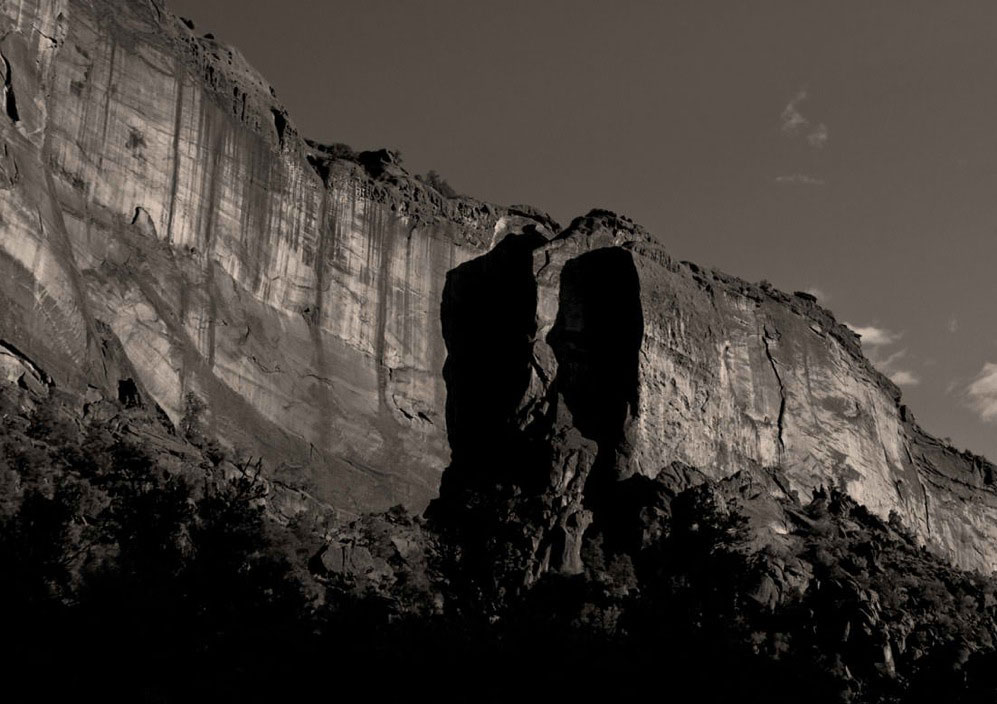
Often, sharpening software, especially ones that operate with one touch, have a tendency to over sharpen, which gives a harsh look. But Camera+ and its' clarify button work really well. The first photo is my original shot. (Well, it's not really my original, but it's the one I was happy with after a bit of digital manipulation). I pulled this shot from my time at Capitol Reef last fall.

To appreciate the full effect of these tools,
click each image to enlarge.


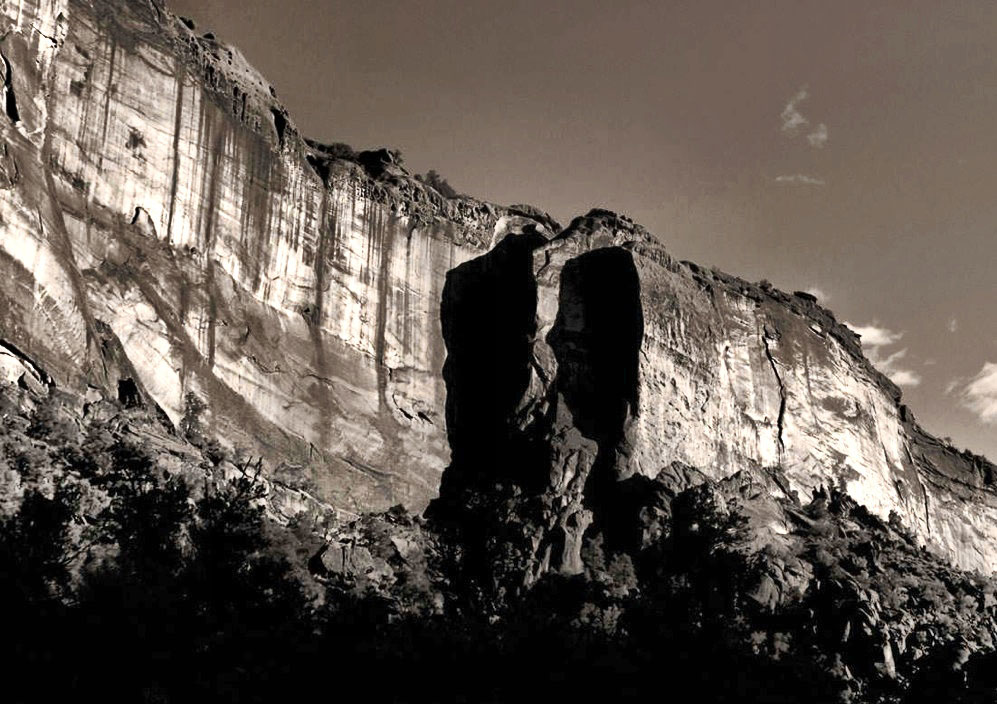
And here's the photo
after using the clarify tool in Camera+.
Not great for every shot,
but a really nice effect.
Camera+ costs just $.99.


The next ap is the one that really blew my skirt up. Everyone knows that in digital photography, you can remove items. This sounds really easy, but they rarely mention that it is a whole lot of work to remove artifacts. And remember, when you remove something, you have to put something back in its' place.

But now, along comes
TouchReTouch HD, which is also just $.99.

This ap is like magic, it really is.
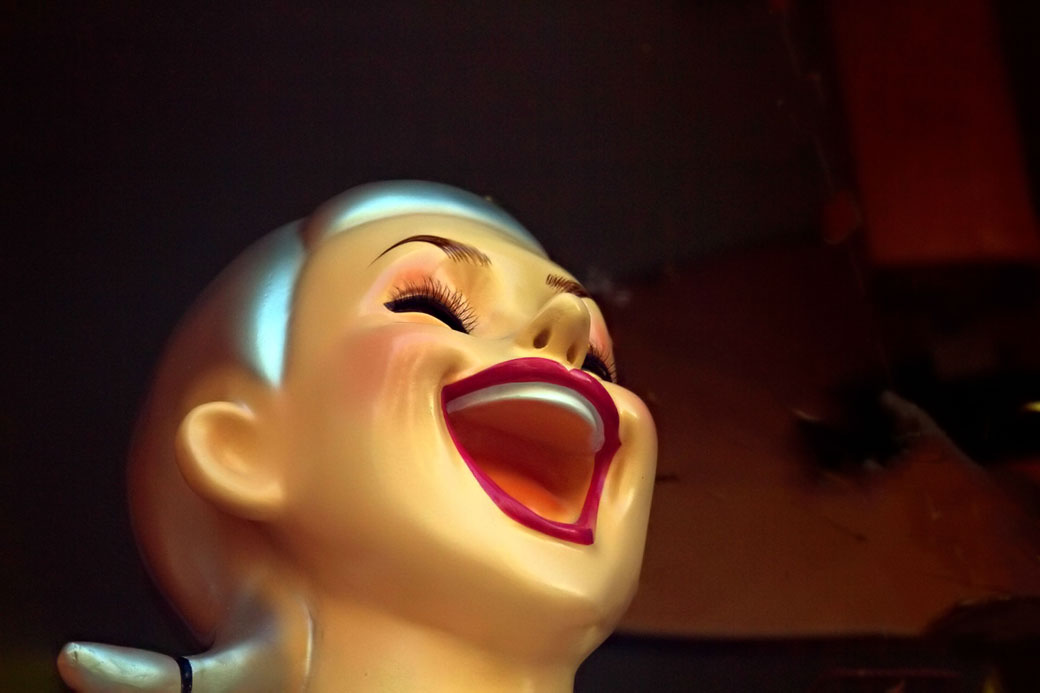
Here's the original shot


Now, I loved the face on this mannequin, but what is all that going on over to the far right? Distracting, but I didn't originally bother to remove it. And I really didn't want to crop it out, so I just used the photo as it was.

But look what happened with TouchReTouch HD.


This literally took me about twenty seconds. With this little ap, you tap a paintbrush, then move your finger over what you want to remove, then hit the apply button. No cloning, no filling in, it just works.

I really like these two aps and wanted to share.
I'm loving my iPad.

Tuesday, April 5, 2011

iPads and Other Stuff . . .

.
I'm starting with one picture.
It has nothing to do with this entry,
but I liked the way his head was cocked,
like he was seriously thinking about something.

Now,
back to our regularly scheduled programming.

As I said a bit ago, I now have an iPad, and boy do I love it! I find that, while not a replacement for my computer, it has turned out to be the a wonderful device for surfing the web, reading email, and generally keeping up.

It's also a perfect way to keep and display your photos. The screen size is so nice, just like it was designed specifically for this purpose. The iphone is also good for this, but the larger size of the iPad screen is really so much better.

Just today, I found something else to like about the iPad. It's called Flipboard, and it's an easy way to visit a lot of content in one step. I wish I could explain it better, but all I can say is if you have an iPad, you might want to download it, and it's free. Once you have it on your iPad, if you like, you can add this blog to your Flipboard files. It's a great way to keep track of your favorite blogs.

One thing I did notice though. It seems like not all the links work in Flipboard. For instance, when you click on most of the links in my blog, they take you to an Amazon site where, if you purchase something, I get a small percentage (usually 4%, and it adds nothing to your cost). As near as I can tell, the Amazon links aren’t hot through Flipboard, but it may be something they'll fix in a future update.

If you wish to read the blog in Flipboard (and still use my link for your Amazon purchases) another option is to go to the upper left side of the blog, where it says click here for Amazon. Then, when you go to the Amazon site from that link, you can bookmark it, then it will always go directly to my account.

I'm not trying to push this, but I would like to thank everyone who uses this link. In order to post my pictures at the sizes I prefer, I put them on my own website, which costs by the year. At some point, I may go to a free online site, but this has worked so well for the last five years, I hate to change it now. I also like to be able to control the size of my pictures, something you can't always do with the free photo album sites.

Okay, enough about iPads and Amazon . . .

We seem to be doing so much better with sorting through the house, I think it's just easier when the weather is nice. The auction is full for this week (Thursday night) so we can't take anything down till Friday, but with the good weather, it's easy to store things outside till then. Lets hope the nice weather keeps up and maybe one of these days, we'll get out of here!

Today, while going through our outside room (really a huge storage area), I found something I had completely forgotten about. It's a box of old home movies and audio tapes my Dad made back in the 1950s. I remember that he liked to play around with a ton of audio equipment (remember the audio room I talked about when I wrote about the house I grew up in? You can read about it here). While I remembered that he loved doing this, I had completely forgotten that I had these tapes. I also found a box of home movies from the same period. Some of them are marked Hawaii, so they would be circa 1958-1962. I think I'll try to take a look at these before I pass them on to younger family members. Hopefully, in all this mess, we still have a projector somewhere. I know we still have the movies and a screen, so it would make sense that the projector will also show up.

It was very strange looking through these. It would seem I come by my geekiness honestly.

So we're just going to keep plugging away, hoping for good weather and occasionally taking time off to breathe and visit friends.

Then we'll be able to get back on the road (I hope).

Thursday, March 24, 2011

I Got an iPad!

.
This will be short, but oh boy, am I excited . . .

OK, let me back up a bit here.

I have wanted an iPad since I first heard of them. But they just seemed a bit expensive to me (not that that would have stopped me if I had the extra cash, but I just didn't have the bucks).

So then they go and announce the iPad 2 and I look at it, and it doesn't seem like quite the upgrade I had hoped for. So I get to thinking that it might be the right time to get a 1st generation, what with everybody else upgrading.

But these people want a lot of money, often merely $50 less that a brand new 2nd generation. So I just decided that I would wait for #3.

Then this afternoon, on one of the many boards where I hang out on the internet, someone mentioned that just this morning, Verizon had decided to clear out their leftover 1st generation iPads, dropping the price another $100 (this after an initial price drop of $100 with the announcement of the 2nd generation models).

This brought the 16gb WiFi model down to $300, and since I have a mifi with an unlimited plan (thanks to being grandfathered in from my original USB720), this would fit the bill just right!

I called the local store and they said they had had 3 this morning but they were gone. However, they were expecting another shipment any time now. I asked if they'd hold one for me and jumped right in the car (in the middle of torrential rains, that's how bad I wanted one) and hotfooted it into Capitola.

I got there and the courier had not yet arrived, but was expected at any moment, and I was first on the list. Yahoo!

The shipment arrived a few minutes later and I got my iPad (as did the two people behind me) which left three for my local store.

So I've been playing with this all this evening, but could any of you who have iPads share some of your favorite aps? I'm moving over my favorites from the iPhone, but I'm sure there are a lot more to play with.

If you're looking for an iPad, I think this is a great deal (iPad 16gb WiFi, $300) so you might want to check out your local Verizon Store.

One more quick word on the mifi. I've had an aircard with Verizon for some time (hence the unlimited plan) and have been quite pleased. When I heard about the mifi, it sounded good to me, but I thought the price was a bit steep. Since I'm out of contract, I really didn't want to start all that again. So I went on CraigsList, where I found a local geek who had forsaken Verizon for Sprint, and got my mifi for $60, no contract. Then I simply went to my local Verizon Store, and told them my situation. They looked up my account and saw that I was on the unlimited plan. Then they de-authorized my old device, authorized the mifi (with no contact and no change in terms) and that was it, Easy Peasy!

If you're thinking about upgrading, remember you have options that don't always involve a contract!

I'll be back in a day or two when it's all set up.