Showing posts with label iPhone. Show all posts

Wednesday, March 28, 2012

Do you Like Birds??

.
One of the things that I love the most about my iPad and iPhone is the tremendous variety of apps available.

Ever since we first took off in the motorhome, we suddenly became excited about the tremendous number of birds we'd see wherever we went. While we're not serious birders, we sure find them fascinating.

When I first got an iPod touch, I found a new (at the time) app named iBird Explorer Pro. I purchased it and have been quite happy with it. But since that time, a lot of other bird and nature apps have become available.

So you can imagine how pleased I was to see that Peterson's Birds of North America is currently on sale for $4.99 (down from $14.99). Like the great books these people put out, the app features beautiful illustrations, photographs, bird calls, the ability to keep a personal list, and so much more.

While I love all these apps, they can become expensive (because sadly, I'm an admitted app junkie . . .).

But if, like me, you love a bargain, here's a tip. I've signed up with a website called AppShopper.com, where you can mark which apps you're interested in and when they go on sale, they send you an email!

When you look at the price of most birding books, the apps are less expensive, and in many ways much better. For those of us in a motorhome, they certainly weigh less and take up less room. And for me, the best part is that once you buy them, they get updated regularly, so instead of having to buy a new book every couple of years, you're pretty much covered. Plus, if like us, you have multiple devices (iphones, iPads) you only have to buy an app one time and you can share it across all your devices.

I also love that when we're out looking at birds, I usually have my phone with me, whereas I've never had a bird book handy when I was needed one!

If you're into birds (or wildflowers, trees, mammals, butterflies, whatever) I suggest you take a look in the app store, because there's a lot of great things waiting for you to discover.

If you've found any other great nature apps, please let me know.

I assume these would also be available for those of you on Android devices, but you'll just have to search them out yourself, because (obviously) I'm a hard core Apple girl (no pun intended).

Wednesday, October 19, 2011

Preparing (and a Panorama)

.
Just a short post today as I'm getting ready to get up early and head to LA tomorrow. As always, I'm disorganized, but excited.

And still playing with the iPhone.

I found a program called AutoStitch that allows you to take up to twenty pictures, then it stitches them all together in to a panorama. While I'm able to do this on the computer, it's pretty snazzy that the tiny iPhone does it in a short minute or two.

I need some more practice as it's not as clean as I would like. I believe this is a function of my shooting the same image several times. I think the software isn't able to line things up perfectly when all the shots aren't quite the same (white balance , etc.).

Still for not knowing what I'm doing, I'm pleased with the results. And I'm sure with practice I'll get better. Over the years, several people have asked for pictures of the bedroom in the Lazy Daze 30 foot twin (it's the least sold model) so I thought this would be a good place to start.

Now remember, this isn't clean and sharp, but I did it with an iPhone and it required nothing of me beyond the initial snapshots. You really do need to enlarge this to see the detail (fuzzy as it is).


All in all, I think it's a good start. I'm questioning whether I should bring my Canon along when I go to Disneyland, or should I just take the iPhone? I already have thousands of shots of the park, so I'm leaning towards the phone for convenience sake.

I just can't decide.

Either way, I'll be posting some pictures of the trip. I may try posting some to Facebook. I'm not very active on there, but the phone connects immediately, so I may put some shots up there first, then post better images here at a later date.

I'm getting excited about my little trip, so I'll close now. I still have a ton of last minute things to attend to. I want be ready bright and early tomorrow morning when my friend Misty comes to whisk me away to lala land!

Monday, October 17, 2011

Baby Feet and Tiny Planet

.
There I was, shopping at Costco
when I saw these adorable baby feet.


Of course, I asked permission
before whipping out my new iPhone
and taking these shots.


I then proceeded to have a delightful conversation with her Mother. She asked why I wanted to take shots of her baby's feet. I explained that I've always loved baby's feet. They're sweet and soft, and so very pure. She agreed, then shared the fact that she also was a photographer, so no explanation was necessary.

Just one of those chance encounters that brightens so many of my days.

-*-*-*-*-*-*-*-*-*-*-*-*-*-*-*-

Now onto other things,
like those wonderful iPhone apps.
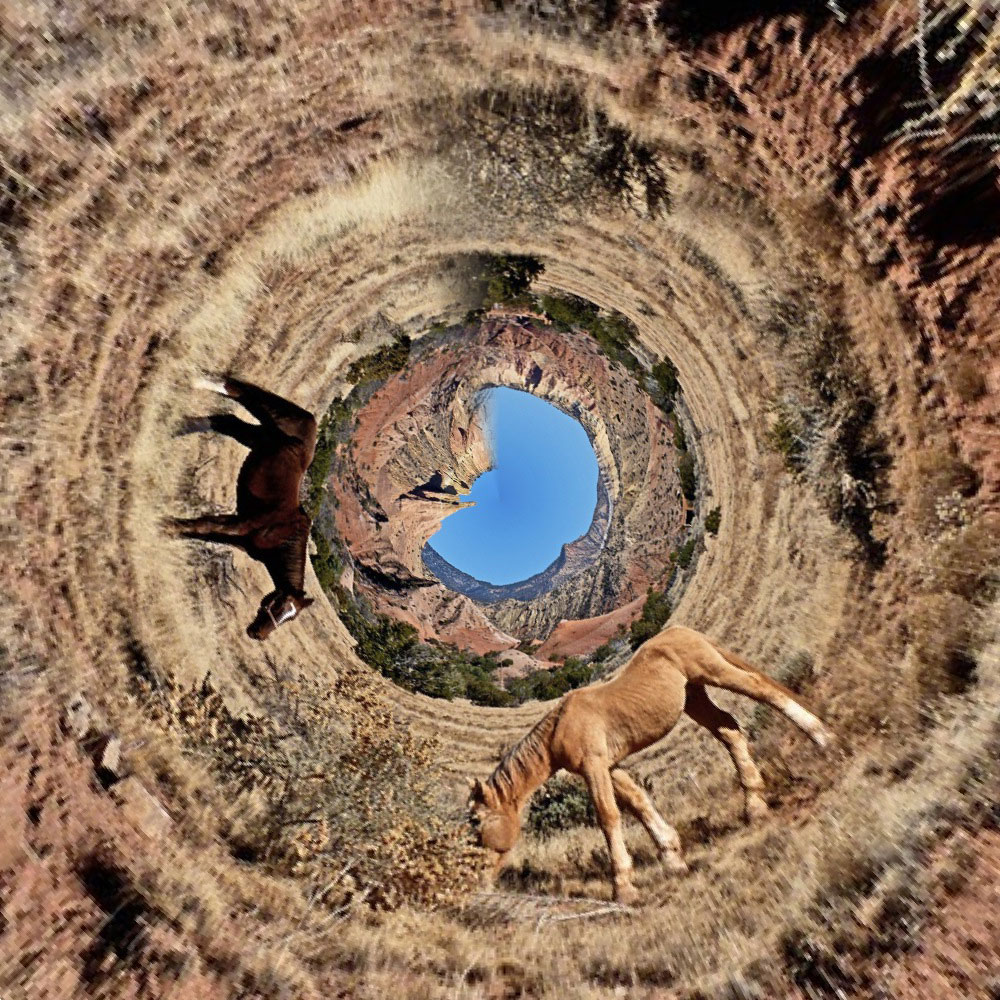
This one is called Tiny Planet.


You open the app,
choose your photo,
then it does this!


It works best on photos
with a clear horizon
and clean, sharp photographic elements.

Monument Valley via Tiny Planet.


I'm still having too much fun . . .

In just two days, I'm off to Los Angeles.
I'll unload some Disney,
and visit old friends.
Friday, we'll have lunch at Club 33
and spend the rest of the day at Disneyland.

Should be fun.

Sunday, October 16, 2011

More Pictures

.
I realize that this is really supposed to be an RVing blog, and we're still full time RVers. That said, while we're still clearing the house (I know, we're lazy and slow . . .) other things occupy my mind.

For you RVers that don't care about my computer fetish, or my photography, I do apologize. I'll get back to RV and traveling info when we get back on the road.

But for now, I really am in Computerland.

And once again into photography.

Boy, do I love the new camera in my iPhone 4s. I decided to get out and take a short walk around the neighborhood with the idea of seeing what I could shoot with the phone.

I didn't even make it out the door,
before this pattern caught my eye.


That's what I see every day, but today,
something about the shapes and patterns
appealed to me.
I backed up just a bit and got this shot.
I love the Cheshire Cat,
he's one of the first things we bought
when we got Cholula Red.


As I stepped out into the street,
I met up with these guys.
They seem to have the run
of the neighborhood!


As you can tell, we're somewhat rural.
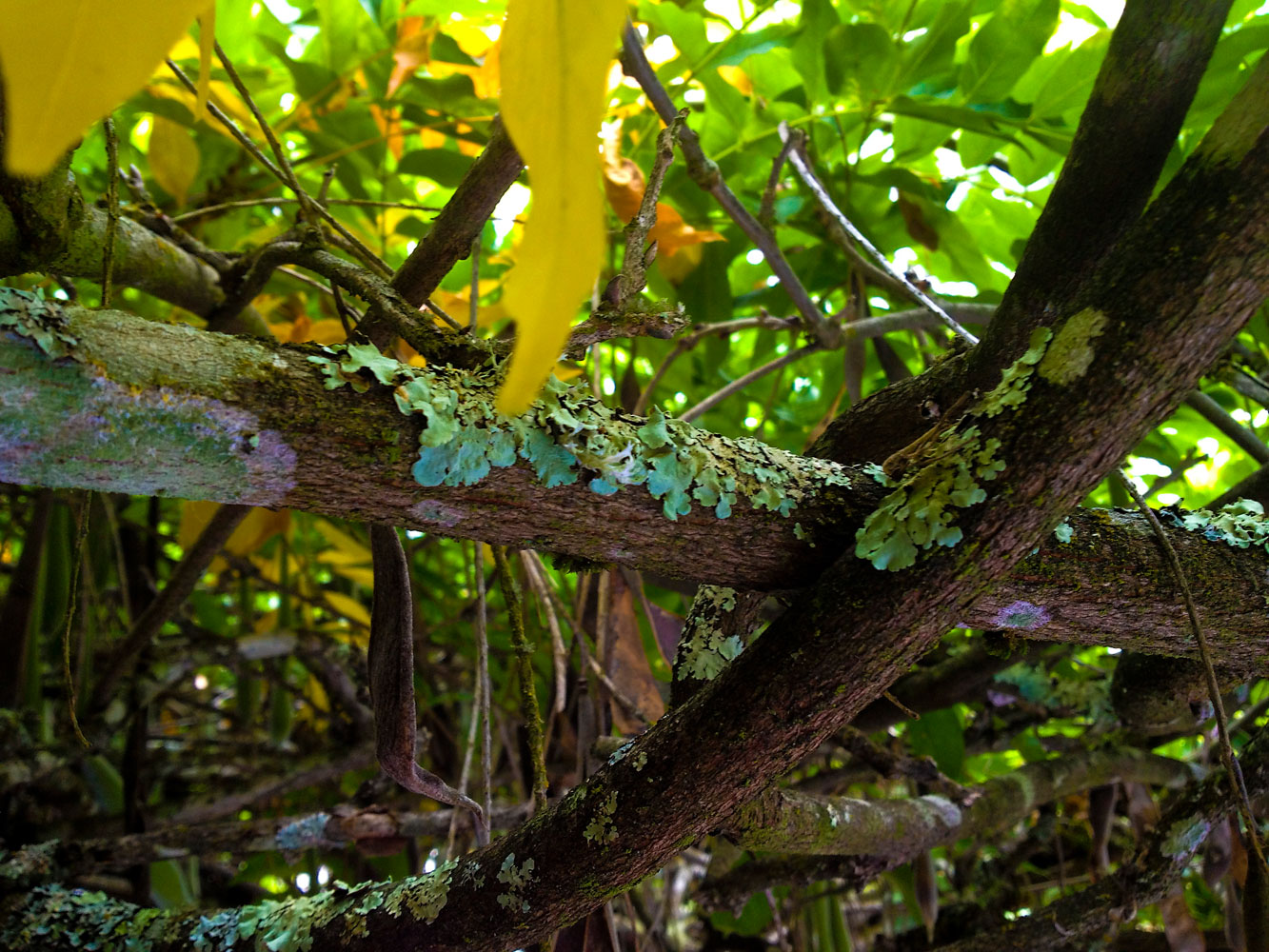
We have a huge wisteria
with lots of twists and turns.


And moss.
I like the way this new camera
handles light.


Finally, I went in the house
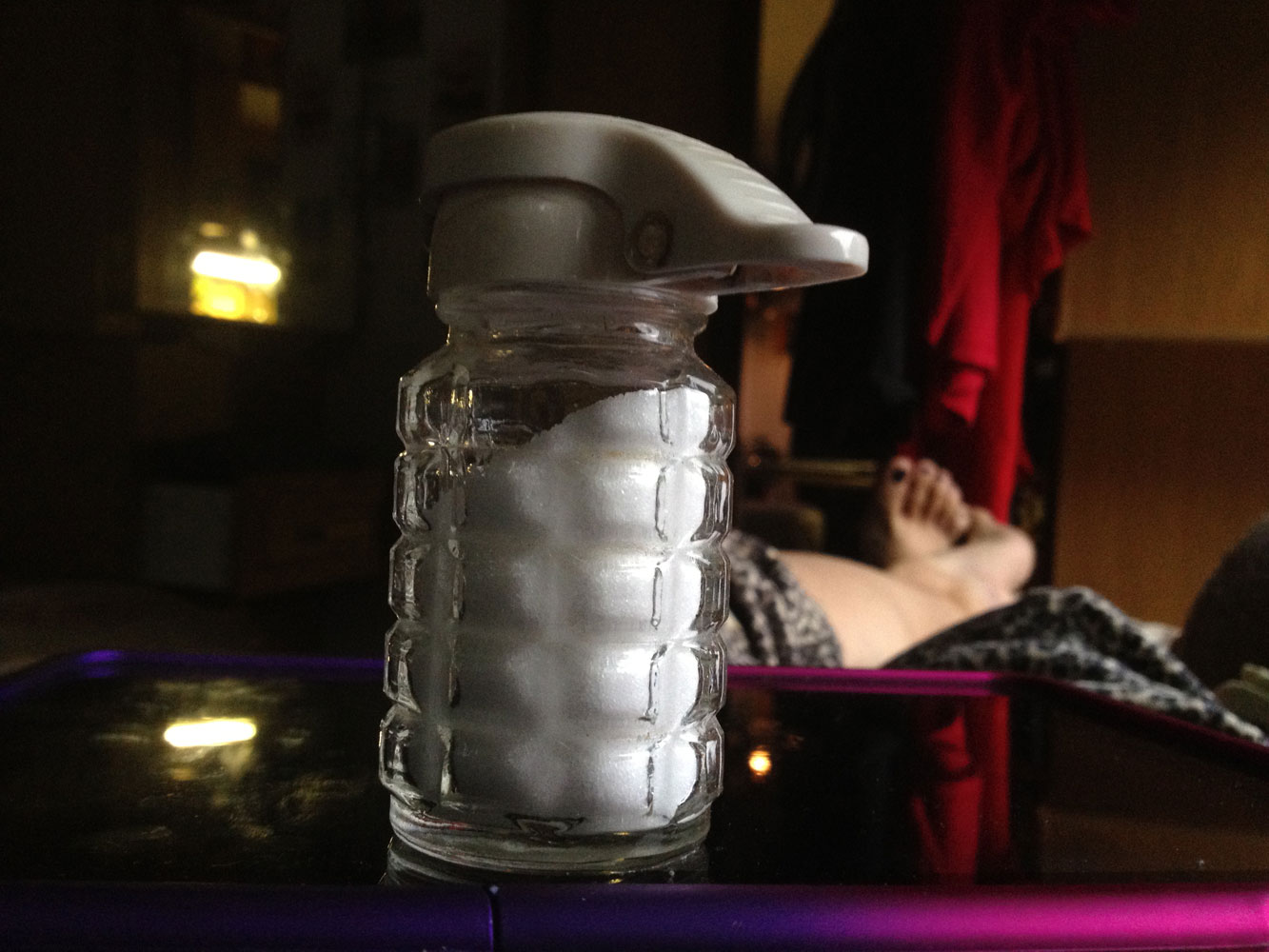
to run a few tests on the macro capability
of the iPhone 4s.
This piece stands just a bit over an inch tall.


This is SOOC, except for resizing.
Pardon my feet.
And my purple toenail polish.


After just a bit of cleaning up,
it gives entirely serviceable results.


As always, if you're interested,
make sure to click on any image
and you can see much more detail.

I really do think I'll be using this camera a lot.
I'm not ready to give up my Canon,
but this will surely do in many situations.

And it weighs almost nothing!

Friday, October 14, 2011

iPhone 4s Photo Comparison

.
It took a bit of doing, but I have my new iPhone. I'm much too tired to talk about it much, but so far, I'm impressed.

Siri is an amazing thing. I've used dictation and talking apps on my phones before, but this truly does take the game to a whole new level. As time goes by, I'm sure I will be mightily impressed with this new software.

But for me, it's the camera. Yesterday, I posted two photos, one from my iPhone 3gs and one from Terry's iPhone 4, which was a huge leap forward.

And they've done it again, because here's an almost identical shot taken with the new iPhone 4s.


Click on the above image and make the window as large as you can. This is a photo that was only made a bit smaller for posting, but has not been manipulated. This is from a phone!

And here's all three photos, left to right, 3gs, 4 and 4s. Click on this one and enlarge it to 100% and you'll see how impressive this new camera really is.


I can hardly wait to go out and spend a bit of time shooting with this camera, uh, phone. Yes, it makes phone calls too!

Thursday, October 13, 2011

GRRR, a Rant

.
OK, I just need to get this off my chest.

Two weeks ago, I realized I couldn't find the cable to connect the Kindle to my computer. I wanted to update some of the books for Terry, but the cable seems to have hidden itself in some dark corner of the motorhome.

We may never see it again.

I went looking for one around town, but I get frustrated with box stores, they so rarely have the exact thing I need. After a non productive afternoon, I went online to Amazon. There, they had what I needed for just $4.00.

I placed my order, because, really, I love Amazon, don't you? Usually excellent service, even from their associate sellers. (And just a bit of self promotion here, if you order from Amazon, feel free to use my link at the top of the page).

I placed this order on October 1, expecting it to arrive in a couple of days, five at the most. A week went by, no cable, so I wrote the company, inquiring. A day later, they wrote back saying they had sent it, but neglected to add tracking, so would I mind waiting a bit?

This annoyed me, but being a retired employee of the USPS, I decided to give them the benefit of the doubt.

So today, 13 days after I placed the order it finally arrived (from southern California to central California). I opened the package to find they had sent the wrong item.

GRRRR.

I emailed them, and they wrote back

"I do apologize for the inconvenience this may have caused you and my late response. Sorry to hear that you might have received the wrong item (s). My records show that this is the item [MICRO-USB-CBLE-06] sent to you. Now can you please confirm the SKU, barcode number on the sticker of the actual packaging for the item received?

Also if you can send a picture of the item versus your device we can determine if this was a shipping error or if we received the wrong item from the manufacture company. This information would be very helpful to help in this matter. "


Well, geeez, I thought this was a bit much for a $4.00 item, but I complied, along with a terse note.

THEN they sent me a note saying a replacement cable would be mailed to me, but added this

"We currently do not offer reimbursements on return shipping. So you are not required to return them. However if you do not mind sending them back at a low shipping cost, (you can even return them in the same package you received them in) we would highly appreciate it. "

Well, that nailed it. Do they really think this is any kind of customer service? First they take two weeks to get me a small cable, that if they would have bothered to send it first class would have been here in at least a week. THEN they have the gall to ask that I send their error back to them at my expense?

I don't think so.
Or am I just having a bad day?
What do you think?

All right, rant over.

Tomorrow, my new iPhone will be here, I can hardly wait. In preparation, I've been updating software and playing with the cameras in the old phones.

Here's a shot taken with my iPhone 3GS
Straight out of the camera (SOOC)
It could be fixed, but it would take a lot of work.
(click to enlarge)


Here's pretty much the same shot
taken with Terry's iPhone 4.
It's a superior camera,
the photo is much better,
but could still use work.


In the next day or two,
I'll take a similar shot with my new phone.
Then I'll be able to tell if the new phone
is a real improvement.

My hopes are high!

Tuesday, April 5, 2011

iPads and Other Stuff . . .

.
I'm starting with one picture.
It has nothing to do with this entry,
but I liked the way his head was cocked,
like he was seriously thinking about something.

Now,
back to our regularly scheduled programming.

As I said a bit ago, I now have an iPad, and boy do I love it! I find that, while not a replacement for my computer, it has turned out to be the a wonderful device for surfing the web, reading email, and generally keeping up.

It's also a perfect way to keep and display your photos. The screen size is so nice, just like it was designed specifically for this purpose. The iphone is also good for this, but the larger size of the iPad screen is really so much better.

Just today, I found something else to like about the iPad. It's called Flipboard, and it's an easy way to visit a lot of content in one step. I wish I could explain it better, but all I can say is if you have an iPad, you might want to download it, and it's free. Once you have it on your iPad, if you like, you can add this blog to your Flipboard files. It's a great way to keep track of your favorite blogs.

One thing I did notice though. It seems like not all the links work in Flipboard. For instance, when you click on most of the links in my blog, they take you to an Amazon site where, if you purchase something, I get a small percentage (usually 4%, and it adds nothing to your cost). As near as I can tell, the Amazon links aren’t hot through Flipboard, but it may be something they'll fix in a future update.

If you wish to read the blog in Flipboard (and still use my link for your Amazon purchases) another option is to go to the upper left side of the blog, where it says click here for Amazon. Then, when you go to the Amazon site from that link, you can bookmark it, then it will always go directly to my account.

I'm not trying to push this, but I would like to thank everyone who uses this link. In order to post my pictures at the sizes I prefer, I put them on my own website, which costs by the year. At some point, I may go to a free online site, but this has worked so well for the last five years, I hate to change it now. I also like to be able to control the size of my pictures, something you can't always do with the free photo album sites.

Okay, enough about iPads and Amazon . . .

We seem to be doing so much better with sorting through the house, I think it's just easier when the weather is nice. The auction is full for this week (Thursday night) so we can't take anything down till Friday, but with the good weather, it's easy to store things outside till then. Lets hope the nice weather keeps up and maybe one of these days, we'll get out of here!

Today, while going through our outside room (really a huge storage area), I found something I had completely forgotten about. It's a box of old home movies and audio tapes my Dad made back in the 1950s. I remember that he liked to play around with a ton of audio equipment (remember the audio room I talked about when I wrote about the house I grew up in? You can read about it here). While I remembered that he loved doing this, I had completely forgotten that I had these tapes. I also found a box of home movies from the same period. Some of them are marked Hawaii, so they would be circa 1958-1962. I think I'll try to take a look at these before I pass them on to younger family members. Hopefully, in all this mess, we still have a projector somewhere. I know we still have the movies and a screen, so it would make sense that the projector will also show up.

It was very strange looking through these. It would seem I come by my geekiness honestly.

So we're just going to keep plugging away, hoping for good weather and occasionally taking time off to breathe and visit friends.

Then we'll be able to get back on the road (I hope).

Thursday, March 24, 2011

I Got an iPad!

.
This will be short, but oh boy, am I excited . . .

OK, let me back up a bit here.

I have wanted an iPad since I first heard of them. But they just seemed a bit expensive to me (not that that would have stopped me if I had the extra cash, but I just didn't have the bucks).

So then they go and announce the iPad 2 and I look at it, and it doesn't seem like quite the upgrade I had hoped for. So I get to thinking that it might be the right time to get a 1st generation, what with everybody else upgrading.

But these people want a lot of money, often merely $50 less that a brand new 2nd generation. So I just decided that I would wait for #3.

Then this afternoon, on one of the many boards where I hang out on the internet, someone mentioned that just this morning, Verizon had decided to clear out their leftover 1st generation iPads, dropping the price another $100 (this after an initial price drop of $100 with the announcement of the 2nd generation models).

This brought the 16gb WiFi model down to $300, and since I have a mifi with an unlimited plan (thanks to being grandfathered in from my original USB720), this would fit the bill just right!

I called the local store and they said they had had 3 this morning but they were gone. However, they were expecting another shipment any time now. I asked if they'd hold one for me and jumped right in the car (in the middle of torrential rains, that's how bad I wanted one) and hotfooted it into Capitola.

I got there and the courier had not yet arrived, but was expected at any moment, and I was first on the list. Yahoo!

The shipment arrived a few minutes later and I got my iPad (as did the two people behind me) which left three for my local store.

So I've been playing with this all this evening, but could any of you who have iPads share some of your favorite aps? I'm moving over my favorites from the iPhone, but I'm sure there are a lot more to play with.

If you're looking for an iPad, I think this is a great deal (iPad 16gb WiFi, $300) so you might want to check out your local Verizon Store.

One more quick word on the mifi. I've had an aircard with Verizon for some time (hence the unlimited plan) and have been quite pleased. When I heard about the mifi, it sounded good to me, but I thought the price was a bit steep. Since I'm out of contract, I really didn't want to start all that again. So I went on CraigsList, where I found a local geek who had forsaken Verizon for Sprint, and got my mifi for $60, no contract. Then I simply went to my local Verizon Store, and told them my situation. They looked up my account and saw that I was on the unlimited plan. Then they de-authorized my old device, authorized the mifi (with no contact and no change in terms) and that was it, Easy Peasy!

If you're thinking about upgrading, remember you have options that don't always involve a contract!

I'll be back in a day or two when it's all set up.

Sunday, October 31, 2010

Catching Up

.
First off, I want to share a picture of the burgers we had last night at the Squeeze Inn in Roseville, California.


This was one of the best burgers I've ever tasted, and the chewy cheese skirt was a bonus that really put it over the top. If you're ever near one of their locations (Sacramento, Galt and Roseville), make it a point to stop in.

Now, on to what's going on with us . . .

As you can tell, we're back in California. I have to say, we aren't all that impressed. Within two feet of the border with Nevada (no kidding, it's right at the border) the roads get horrible, and it doesn't improve much from there on in.

Then there's the incredible amount of traffic and urban sprawl.

Or are we just so used to the wide open spaces of New Mexico, Arizona, Utah and Nevada? Whatever the reason, it isn't sitting well with either of us.

We had hopes that perhaps when we reached the Santa Cruz mountains, our attitudes would change. For many years, when returning to this area, I remember well the warmth and feeling of "home" that would invade my body, but it's just not here this time.

In fact, when we got out of the car and stepped out into the forest, we both looked at each other, stating "it's cold and damp".

And did I mention the dark?

So the plan is to try to deal with the house and get our bodies back to the southwest, which seems to have become out home, spiritually and otherwise.

That said, we'll be here a while and we hope to make the best of it. In that spirit, we decided we should take a drive down to look at the ocean.

Now that we like!

I didn't have my camera with me,
so I just got a few shots
with the phone.
The wharf at Santa Cruz at dusk.


"What do you want!"


This one pretty much says
what the evening was like.
If we lived at the beach,
our feelings might be different.


TTYL

Monday, October 25, 2010

This and That . . .

.
We came to Ely, Nevada almost a week ago. We were only going to spend the night, but after a look around, we decided to stay another day. After our day of exploration (another blog), I started feeling funky and we decided to stay another day.

This has always been our practice since we don't like to drive when both of us aren't 100%.

Then the wind picked up, so we added another day.

Then the rains came.

This morning it was snowing.

Now, it seems to be winding down. The sky is blue and clear and the snow has all melted. The weather reports say it will be a fine day for driving tomorrow, so we will be back on the road.

Since I've been watching the weather so closely, I thought I'd tell you about one of my favorite new toys, an iPhone ap. called Weather HD. I have several other weather aps, but this one is different. Rather than just giving you a weather report and forecast, this one shows you the current weather with really beautiful animations. When it's raining, you see a countryside with rain, at night you see the moon, today when it was snowing, it showed a constantly changing snowstorm. It's very cool, and if you have an iPod or an iPhone (or an iPad, for which I'm extremely jealous) it's more than worth the $.99.

I'm also a huge fan of HD Camera (as well as TrueHDR). I've written about TrueHDR before (you can see samples here), but lately I've been using HD Camera more.

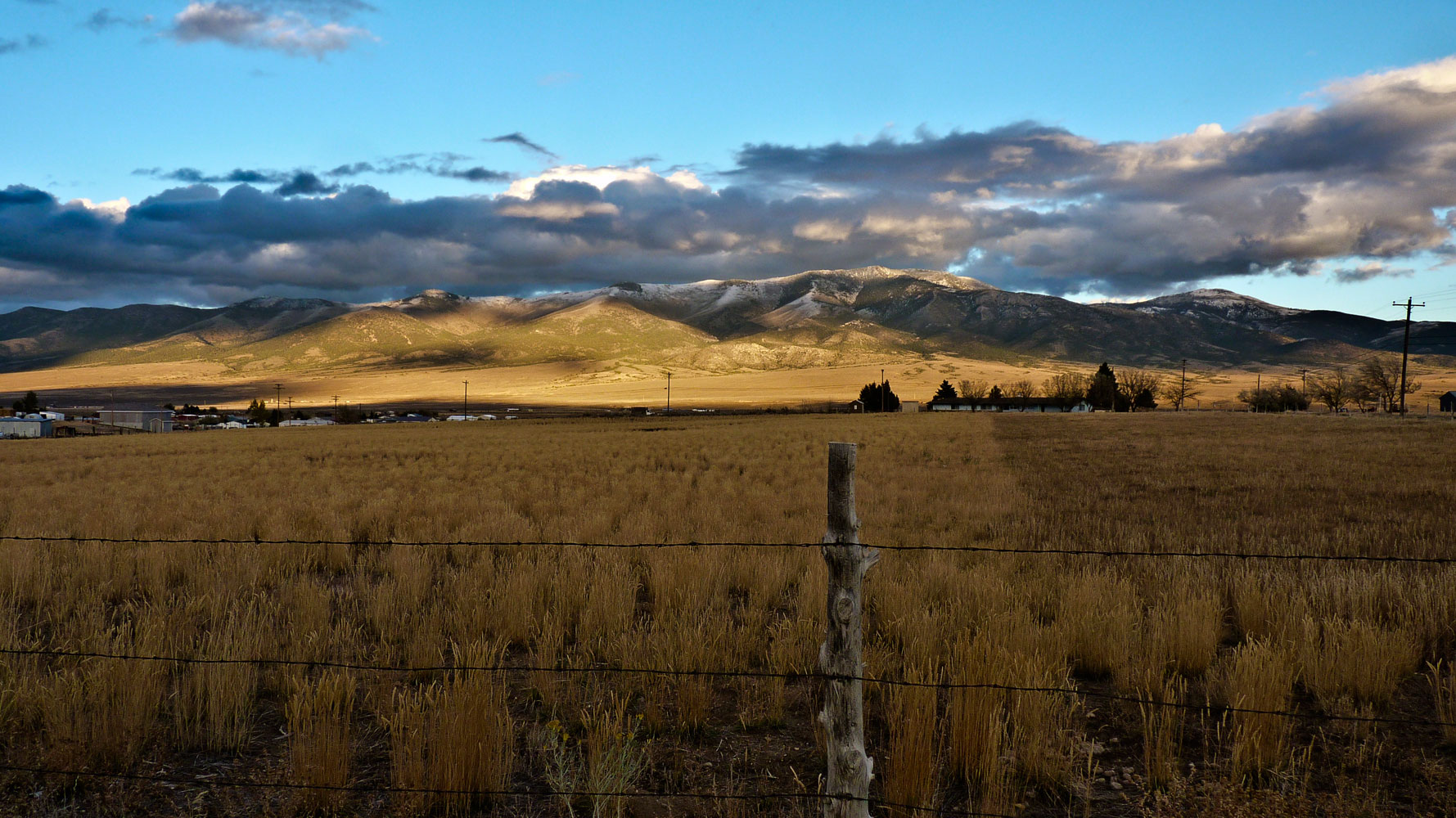
After todays snow, the sky cleared up and I got these shots, right outside the windows of the rig.


If you click and enlarge this one,
you can see that I should have
opened the screen,
rather than shooting through it.
Still, it shows the detail nicely.


The mountains around Ely
are quite lovely,
especially when the clouds
cover them with shadows.


I really liked these mountaintops,
still dusted with snow.


So tomorrow,
we take off on Highway 50,
called the Loneliest Road in America.

Then we'll continue on our way west.

Thursday, June 3, 2010

Carin's Garden (captured with my iPhone)

.
We've been hanging out in Santa Fe, having a wonderful time (and not blogging as some of you may have noticed).

This afternoon, we visited our friends Tim and Carin. As always, we were completely incredibly impressed by Carin's garden.

I didn't have either one of my regular cameras with me, so once again I relied on my trusty iPhone.


I'm becoming
more and more enamored
of the results
you can get
from this little beensy camera.


As I did at the Grand Canyon,
I used the iPhoto ap called
HD Camera


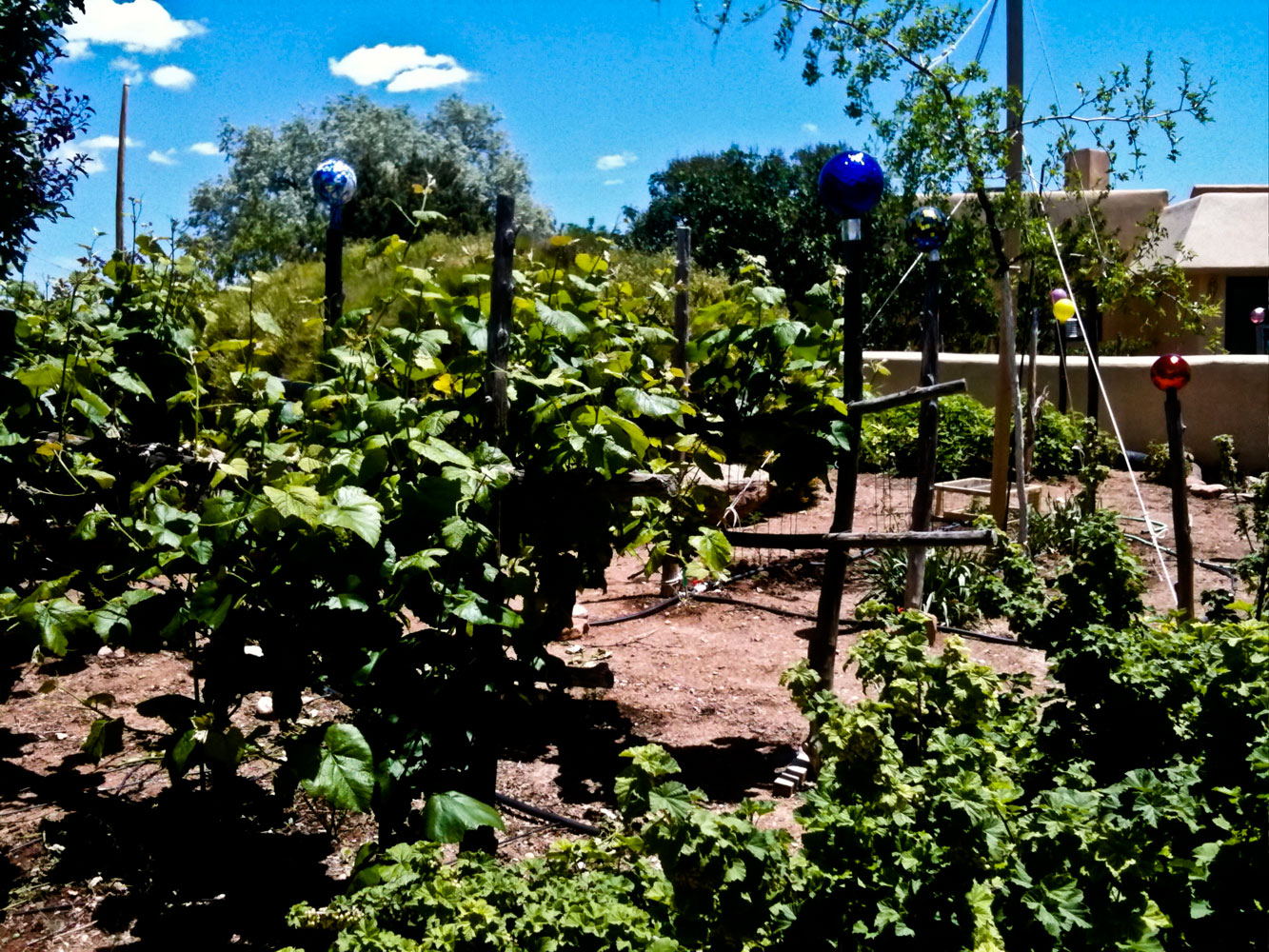
Tim and Carin have a number
of gazing balls
scattered through the garden.
This is the first time
I've ever seen them
in an actual garden.
I vow if I ever have another garden,
it will be filled with these colorful orbs.


The iris are close to done,
but I couldn't resist
this scrumptious shade of yellow.
It's like buttah . . .


Another ball,
the stripes add a delightful aspect
to the yard


Here you can see a wider shot,
but this is merely a small part
of this glorious patch of earth


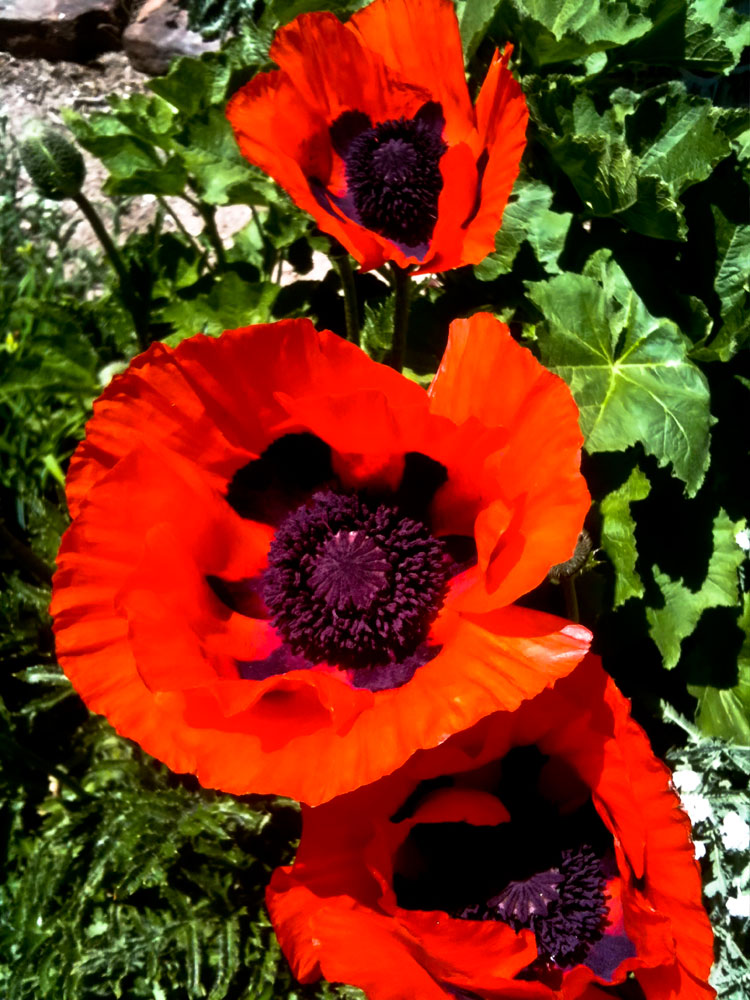
A final shot of the beauteous poppies


The weather here in Santa Fe
has been perfect,
so we'll be staying a while,
or at least until we decide
it's time to move on . . .

As always

Friday, April 30, 2010

Photographic Studies of the Grand Canyon (via the iPhone)

.
We are back safe and sound in Cholula Red.

We had a wonderful time, got our business finished lickety split and got to spend a day at the Grand Canyon. I took thousands of pictures, using my Canon 7D, my Panasonic Lumix FZ35 and my iPhone.

It will take days to get them all processed.

Since I took the fewest shots with the iPhone, I'll start there. I haven't posted many of my iPhone pictures lately, but I must say, I continue to be impressed with this little camera. It works well, but what really bumps it up are the thousands of aps you can get that manipulate your pictures and truly turn them into art of another sort.

I decided to use one I haven't played with before called HD Camera. You may remember my other HD pictures were taken using TrueHDR. The difference in the two aps is that TrueHDR requires you to take two photos, one focusing on the lightest part of the picture and the other focusing on the darkest part of the scene. Then the application merges the two, and, especially in high contrast situations, you get impressive results.

But HD Camera is another beast entirely. It automatically processes one photo into High Definition, plus, it takes the standard 3mp of the iPhone camera and somehow magically turns them into 7mp images. It certainly seems like magic to me!

Now, back to the Grand Canyon. I've been there several times, and every time, it's always kind of a shock to realize that that the clarity of the canyon is somewhat compromised. I don't know if it's just the fact that the damn thing is so big, or if it's a weather phenomenon, perhaps creeping pollution or what, but, beautiful as it is, there is always a sort of haze, especially when taking a long view.

So, in my mind, all those pictures I see that are bright and vibrant must have been manipulated, either in the darkroom, or in camera. I don't mind this, but like I say, when I've seen it in person (over the last 50+ years) the haze always comes as a surprise.

With this in mind, I knew I would have some manipulation ahead of me. But you know what? That's what I love to do, so no big deal.

I downloaded all the pictures from the three cameras, and the surprise came when I looked at the iPhone pictures captured using HD Camera. Somehow, the algorithms used in the in-phone processing automatically did away with the haze!

Way cool.

One note before the photos. As always, you can click any scene and see a larger, usually clearer, image. Also, some of these are duplicates, with the original from the iPhone (using HD Camera), then manipulated in Photoshop for different effects.

If I haven't already bored you to tears, here we go with the pictures.

Enjoy!

This first shot is SOOC
(straight out of the camera)


a slightly different angle
SOOC.
Don't these remind you
of these old
Kodachrome linen postcards?


Yet another sightly different angle
(sorry, I like them all)


This is the same shot as above
but slightly more detail


Again, the same shot,
slightly softened.
I like this effect a lot.


OK, be prepared,
there are lots of versions of this one.
This is the original SOOC.
I love the hazy light.


But I hated the railing,
so I removed it.


This has some darkening
and color changes.


Changes in light.


This looks like
it might have been taken
years and years ago,
but has now suffered
the ravages of time.


Also a vintage look
but with more detail.


In sepia.


Desaturated.


By this time,
I had done so many changes
I don't even remember
what I did to get this effect
But I like it


One final shot
from the iPhone.


Unfortunately,
I didn't even remember the iPhone
till we were almost out of the park,
but I'm glad I got the shots I did.

I will definitely be using it
more in the future.


What a great trip we had,